
How it started
My job keeps me sitting most of the day, and I wanted to keep my weight under control. Good intentions are not enough for that. You need numbers you can see every day: what is happening to me and where I am heading. I had tried ready-made mobile apps, but they were either limited in their reports, tied to a single phone, or stored my data somewhere I could not see.
So I asked myself a question: could I build this kind of app right on my own website? My site is an ordinary informational WordPress site. It already has a database and a login system.
There was a second motive. I wanted to test the idea quickly and cheaply. I did not want to rent a separate server, set up a subdomain, install certificates and deploy new services. I wanted the app to appear where everything already works, and to be available immediately.
The main idea: an app separate from the site's design
A WordPress site usually has a theme. This is its look: the header, the menu, the colors, the fonts. Every page of the site is drawn through it.
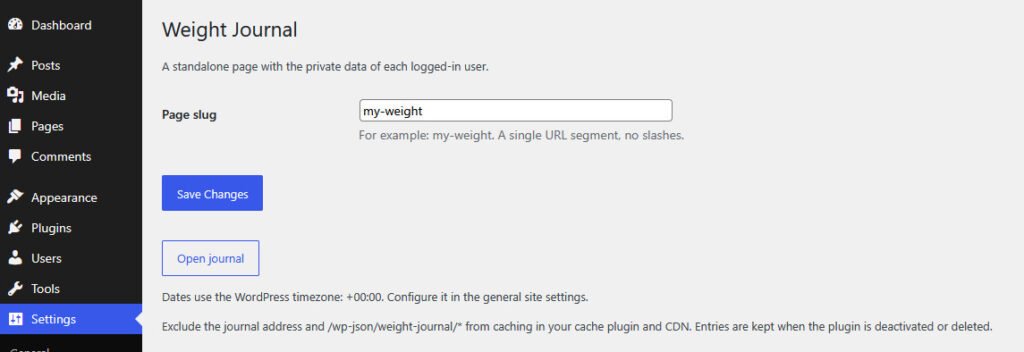
My app works differently. It takes only the basics from WordPress: the database, login with a username and password, a page address, and a way to exchange data. Everything else it does itself. It has its own screen, its own colors and its own buttons. The site's design does not affect the app, and the app does not affect the site.
This is convenient for three reasons:
- Changing or updating the theme breaks nothing.
- The app looks like an independent service, not a piece of the site.
- It is easy to move to another site: you only need to install one plugin.

Why this way: a fast prototype without new services
The main goal of this kind of placement is speed. To launch a small app the usual way, you need to:
- find a hosting plan or a server;
- create a subdomain;
- set up a secure connection;
- build a login for users;
- connect and configure a database;
- keep up with updates and security.
If the app lives inside an existing site, most of this list is already done. The hosting is paid for, the address works, the database exists, login is set up and backups are already running. All that is left is to write the app itself.
For a prototype this is a huge advantage. An idea can turn into a working page in one evening. If it does not catch on, you simply turn off the plugin and the site stays exactly as it was. If the idea proves useful, you can keep developing it or later move it into a separate service.
How the family uses it
The whole family uses the journal. Everyone has their own login and sees only their own entries. The app simply does not know how to show another person's records.
Site visitors see nothing at all. Anyone who is not logged in lands on the login page. The page is also closed to search engines. The site stays an ordinary informational site, with a private room for family inside it.
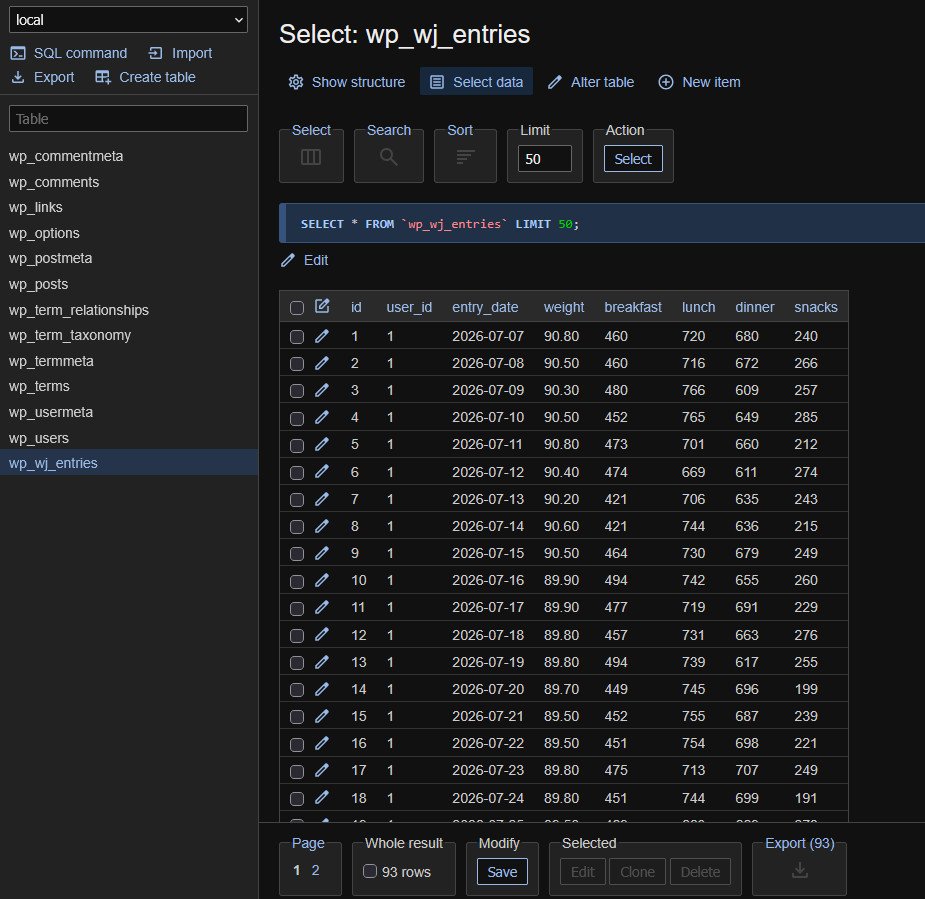
All the data is stored in a single database table. If the app is no longer needed, the table can be deleted in one step and no traces are left.
Why this beats a mobile app
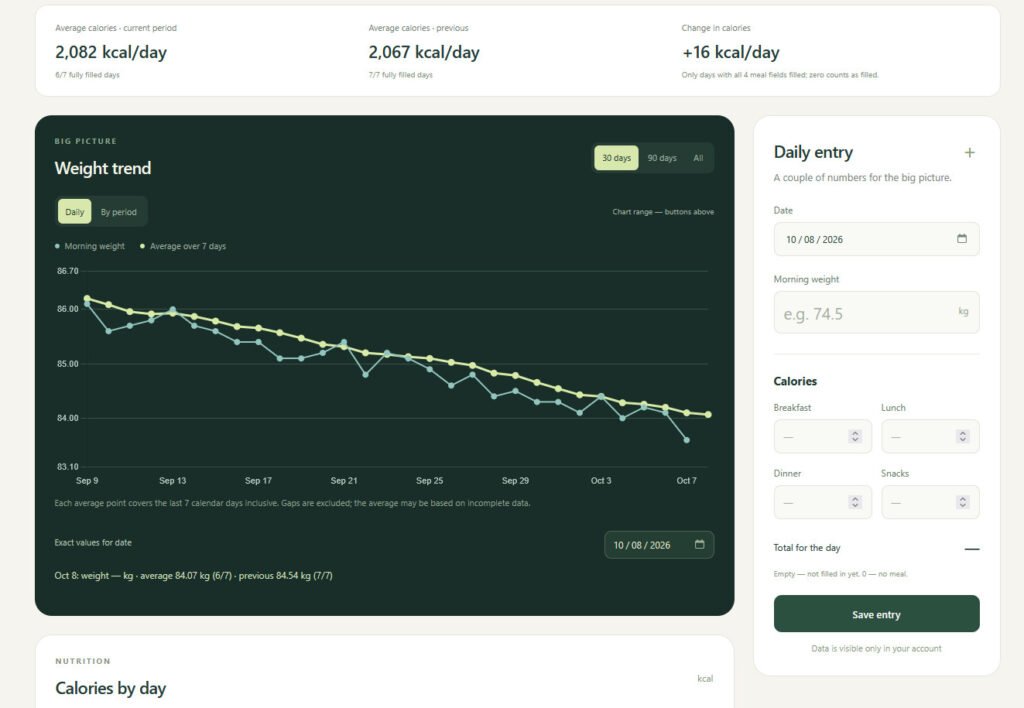
Tracking is now available from anywhere and from any device. In the morning I log my weight from my phone, in the evening I look at the chart on my laptop. There is nothing to install: all you need is a browser and your login.
There are other advantages too:
- You can track anything. Right now the journal holds weight and calories for four meals, but tomorrow I could add sleep, steps or mood.
- I build the reports I need. For example, a comparison of average values for two adjacent weeks, or for any period I choose myself. Ready-made apps rarely offer such settings.
- The data is stored with me, not in someone else's cloud.
- The history can be exported to a spreadsheet and kept as a copy.

An important caveat
This kind of app has its limits. I do not recommend storing truly confidential data in it: passport details, passwords, card numbers, medical documents. The protection here is the same as your website's, and professional services built for sensitive data are better protected. I consider weight and calories harmless, but everyone decides for themselves.
If you keep a similar journal, exclude it from caching on your hosting, use a strong password, and make copies of your database.
One more limit: this is a prototype and a personal tool. For an app with thousands of users, a separate solution is a better choice.
What I learned from this experiment
The most valuable discovery was not about weight. I realized that WordPress can serve as a ready-made foundation for small personal apps. It already has:
- login with a username and password for each family member;
- page addresses that you can set to anything you like;
- a database;
- a way for a page to exchange data with the server.
Before, all of this would have had to be written from scratch. Now I have a powerful foundation, and I can build anything on it.
Using a similar approach, I am already making other small apps for personal use:
- creating tests on school subjects for my child;
- bulk editing of images;
- anything else that comes to mind as everyday tasks appear.
Each such app takes one small plugin. I do not need to look for a ready-made service, adapt to its rules, or pay for a subscription.
Conclusion
If you have a WordPress site, you may already have a powerful foundation for your own tools. You can start small: a weight tracker, a shopping list, expense tracking or a habit diary. What matters is that the app solves your task, not someone else's.
For me this journal has become a daily helper. It is simple, it is mine, and it is always at hand, and tracking my progress is now much easier.